In this article, you will learn how the ReAct (Reasoning + Acting) pattern works and how to implement it with LangGraph — first with a simple, hardcoded loop and then with an LLM-driven agent.
Topics we will cover include:
- The ReAct cycle (Reason → Act → Observe) and why it’s useful for agents.
- How to model agent workflows as graphs with LangGraph.
- Building a hardcoded ReAct loop, then upgrading it to an LLM-powered version.
Let’s explore these techniques.
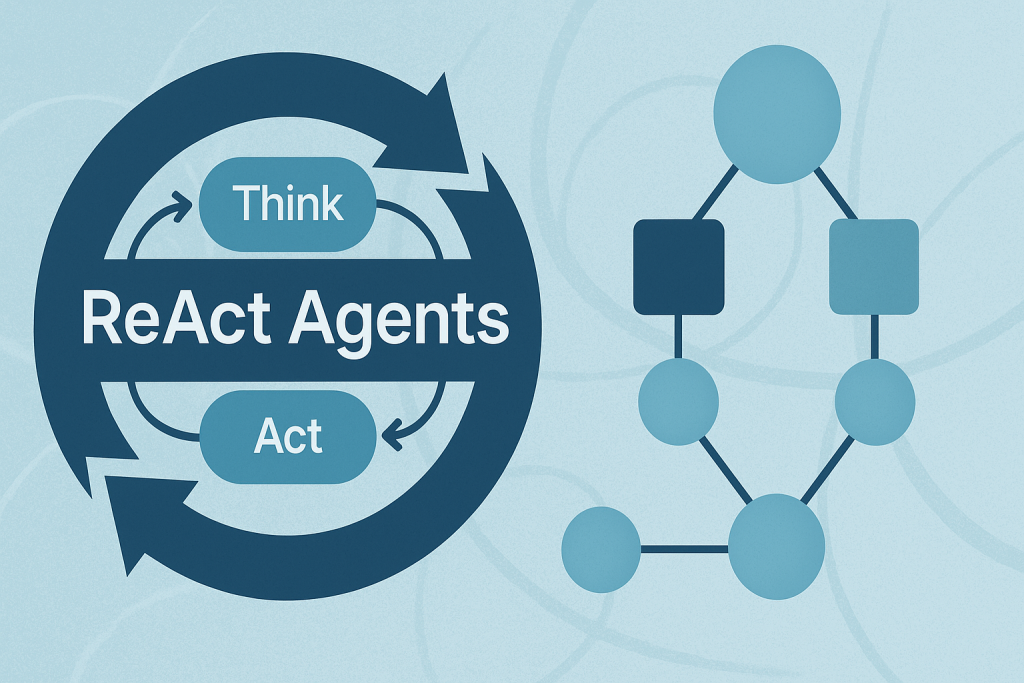
Building ReAct Agents with LangGraph: A Beginner’s Guide
Image by Author
What is the ReAct Pattern?
ReAct (Reasoning + Acting) is a common pattern for building AI agents that think through problems and take actions to solve them. The pattern follows a simple cycle:
- Reasoning: The agent thinks about what it needs to do next.
- Acting: The agent takes an action (like searching for information).
- Observing: The agent examines the results of its action.
This cycle repeats until the agent has gathered enough information to answer the user’s question.
Why LangGraph?
LangGraph is a framework built on top of LangChain that lets you define agent workflows as graphs. A graph (in this context) is a data structure consisting of nodes (steps in your process) connected by edges (the paths between steps). Each node in the graph represents a step in your agent’s process, and edges define how information flows between steps. This structure allows for complex flows like loops and conditional branching. For example, your agent can cycle between reasoning and action nodes until it gathers enough information. This makes complex agent behavior easy to understand and maintain.
Tutorial Structure
We’ll build two versions of a ReAct agent:
- Part 1: A simple hardcoded agent to understand the mechanics.
- Part 2: An LLM-powered agent that makes dynamic decisions.
Part 1: Understanding ReAct with a Simple Example
First, we’ll create a basic ReAct agent with hardcoded logic. This helps you understand how the ReAct loop works without the complexity of LLM integration.
Setting Up the State
Every LangGraph agent needs a state object that flows through the graph nodes. This state serves as shared memory that accumulates information. Nodes read the current state and add their contributions before passing it along.
Key Components:
StateGraph: The main class from LangGraph that defines our agent’s workflow.AgentState: A TypedDict that defines what information our agent tracks.messages: Usesoperator.addto accumulate all thoughts, actions, and observations.next_action: Tells the graph which node to execute next.iterations: Counts how many reasoning cycles we’ve completed.
Creating a Mock Tool
In a real ReAct agent, tools are functions that perform actions in the world — like searching the web, querying databases, or calling APIs. For this example, we’ll use a simple mock search tool.
This function simulates a search engine with hardcoded responses. In production, this would call a real search API like Google, Bing, or a custom knowledge base.
The Reasoning Node — The “Brain” of ReAct
This is where the agent thinks about what to do next. In this simple version, we’re using hardcoded logic, but you’ll see how this becomes dynamic with an LLM in Part 2.
How it works:
The reasoning node examines the current state and decides:
- Should we gather more information? (return
"action") - Do we have enough to answer? (return
"end")
Notice how each return value updates the state:
- Adds a “Thought” message explaining the decision.
- Sets
next_actionto route to the next node. - Increments the iteration counter.
This mimics how a human would approach a research task: “First I need weather info, then population data, then I can answer.”
The Action Node — Taking Action
Once the reasoning node decides to act, this node executes the chosen action and observes the results.
The ReAct Cycle in Action:
- Action: Calls the search_tool with a query.
- Observation: Records what the tool returned.
- Routing: Sets next_action back to “reasoning” to continue the loop.
The router function is a simple helper that reads the next_action value and tells LangGraph where to go next.
Building and Executing the Graph
Now we assemble all the pieces into a LangGraph workflow. This is where the magic happens!
Understanding the Graph Structure:
- Add Nodes: We register our reasoning and action functions as nodes.
- Set Entry Point: The graph always starts at the reasoning node.
- Add Conditional Edges: Based on the reasoning node’s decision:
- If
next_action == "action"→ go to the action node. - If
next_action == "end"→ stop execution.
- If
- Add Fixed Edge: After action completes, always return to reasoning.
The app.invoke() call kicks off this entire process.
Output:
Now let’s see how LLM-powered reasoning makes this pattern truly dynamic.
Part 2: LLM-Powered ReAct Agent
Now that you understand the mechanics, let’s build a real ReAct agent that uses an LLM to make intelligent decisions.
Why Use an LLM?
The hardcoded version works, but it’s inflexible — it can only handle the exact scenario we programmed. An LLM-powered agent can:
- Understand different types of questions.
- Decide dynamically what information to gather.
- Adapt its reasoning based on what it learns.
Key Difference
Instead of hardcoded if/else logic, we’ll prompt the LLM to decide what to do next. The LLM becomes the “reasoning engine” of our agent.
Setting Up the LLM Environment
We’ll use OpenAI’s GPT-4o as our reasoning engine, but you could use any LLM (Anthropic, open-source models, etc.).
New State Definition:
AgentStateLLM is similar to AgentState, but
we’ve renamed it to distinguish between the two examples. The structure
is identical — we still track messages, actions, and iterations.
The LLM Tool — Gathering Information
Instead of a mock search, we’ll let the LLM answer queries using its own knowledge. This demonstrates how you can turn an LLM into a tool!
This function makes a simple API call to GPT-4 with the query. The LLM responds with factual information, which our agent will use in its reasoning.
Note: In production, you might combine this with web search, databases, or other tools for more accurate, up-to-date information.
LLM-Powered Reasoning — The Core Innovation
This is where ReAct truly shines. Instead of hardcoded logic, we prompt the LLM to decide what information to gather next.
How This Works:
- Context Building: We include the conversation history so the LLM knows what’s already been gathered.
- Structured Prompting: We give clear instructions to output in a specific format (
QUERY: <question>). - Iteration Control: We enforce a maximum of 3 queries to prevent infinite loops.
- Decision Parsing: We check if the LLM wants to take action or finish.
The Prompt Strategy:
The prompt tells the LLM:
- What question it’s trying to answer
- What information has been gathered so far
- How many queries it’s allowed to make
- Exactly how to format its response
- To not be conversational
LLMs are trained to be helpful and chatty. For agent workflows, we need concise, structured outputs. This directive keeps responses focused on the task.
Executing the Action
The action node works similarly to the hardcoded version, but now it processes the LLM’s dynamically generated query.
The Process:
- Extract the query from the LLM’s reasoning (removing the “Thought: QUERY:” prefix).
- Execute the query using our llm_tool.
- Record both the action and observation.
- Route back to reasoning for the next decision.
Notice how this is more flexible than the hardcoded version — the agent can ask for any information it thinks is relevant!
Building the LLM-Powered Graph
The graph structure is identical to Part 1, but now the reasoning node uses LLM intelligence instead of hardcoded rules.
What’s Different:
- Same graph topology (reasoning ↔ action with conditional routing).
- Same state management approach.
- Only the reasoning logic changed – from if/else to LLM prompting.
This demonstrates the power of LangGraph: you can swap components while keeping the workflow structure intact!
The Output:
You’ll see the agent autonomously decide what information to gather. Each iteration shows:
- Thought: What the LLM decided to ask about.
- Action: The query being executed.
- Observation: The information gathered.
Watch how the LLM strategically gathers information to build a complete answer!
Wrapping Up
You’ve now built two ReAct agents with LangGraph — one with hardcoded logic to learn the mechanics, and one powered by an LLM that makes dynamic decisions.
The key insight? LangGraph lets you separate your workflow structure from the intelligence that drives it. The graph topology stayed the same between Part 1 and Part 2, but swapping hardcoded logic for LLM reasoning transformed a rigid script into an adaptive agent.
From here, you can extend these concepts by adding real tools (web search, calculators, databases), implementing tool selection logic, or even building multi-agent systems where multiple ReAct agents collaborate.






No comments:
Post a Comment